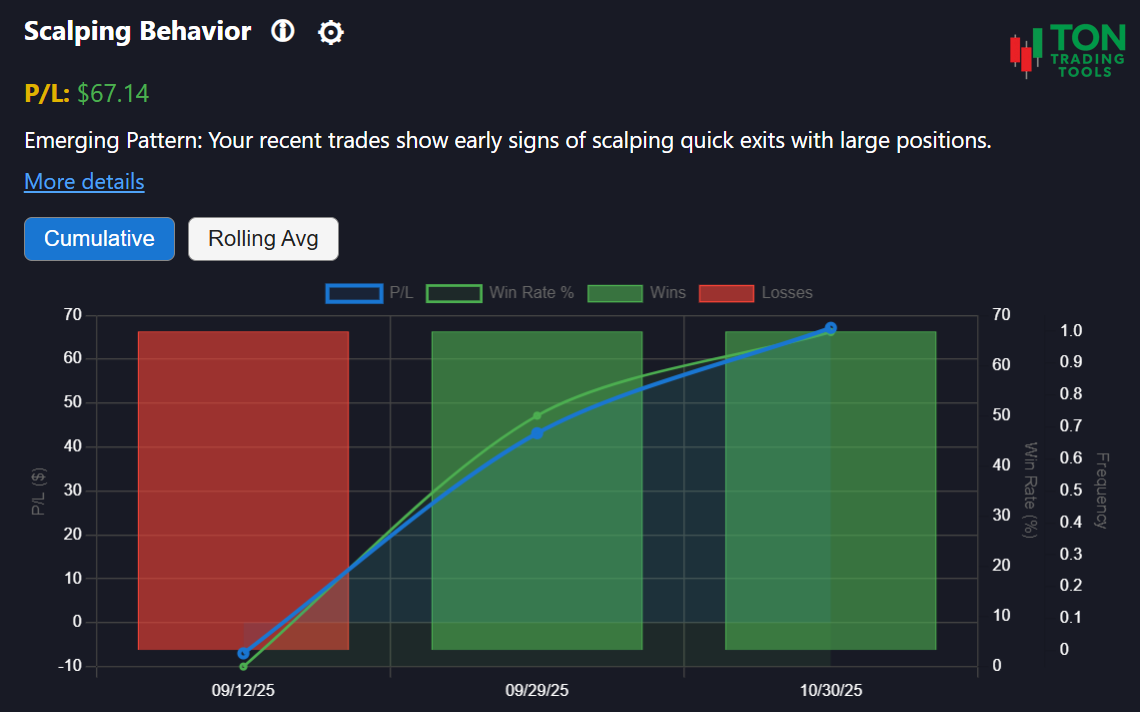
Scalping Behavior Pattern: Understand Your Rapid Trading Habits
The Scalping Behavior Pattern tool is built for Thinkorswim desktop users who want to uncover and address a tendency for quick, high-exposure trades. Are you frequently entering and exiting large positions within minutes? This tool analyzes your trade history to reveal patterns of scalping, helping you improve discipline and manage risk.
This is not a technical charting tool. Instead, it focuses on your actual trading decisions—specifically, trades where you commit more than 30% of your available cash and close the position within 5 minutes. Use these insights to avoid impulsive trading and maintain a balanced approach.
For a complete view of your trading discipline, explore related tools like the Symbol Attachment Bias and the Low-Price Stock Pattern.
How Scalping Pattern Detection Works
Pattern Detection
- Identifies trades where position size exceeds 30% of available cash
- Flags trades closed within 5 minutes of entry
- Analyzes your activity over a 90-day lookback window
- Classifies your pattern as Emerging, Confirmed, or Strong
Pattern Strength
- Emerging Pattern: 5+ scalping events
- Confirmed Pattern: 10+ scalping events
- Strong Pattern: 15+ scalping events
Why It Matters
- Scalping with large positions can increase risk and emotional volatility
- Recognizing this pattern helps you avoid impulsive trades and improve your results
- Combine with Symbol Attachment Bias and Volatility Based Risk Calculator for a complete discipline and risk profile
Supported Patterns & Related Tools
- Scalping Behavior Pattern (this page)
- Symbol Attachment Bias
- Low-Price Stock Preference
- Volatility Based Risk Calculator
- Pattern Comparison Overview
Get Started Today
Ready to see if you have a scalping bias? Upload your Thinkorswim desktop trade files and let the Scalping Behavior Pattern tool analyze your trading history. For best results, review your patterns at the end of each trading day.
FAQ
Frequently Asked Questions
Answers to common questions about the Scalping Behavior Pattern tool for Thinkorswim desktop.

This tool analyzes your Thinkorswim desktop trade history to detect trades where you commit more than 30% of your available cash and close the position within 5 minutes, helping you spot and manage rapid trading patterns.
A scalping event is flagged when you open a position using more than 30% of your available cash and close it within 5 minutes. The tool reviews your trade history over a 90-day window.
Frequent scalping with large positions can increase risk and emotional stress. Recognizing this pattern helps you maintain discipline and avoid impulsive trading decisions.
The Scalping Behavior Pattern tool is currently available only for Thinkorswim desktop users.