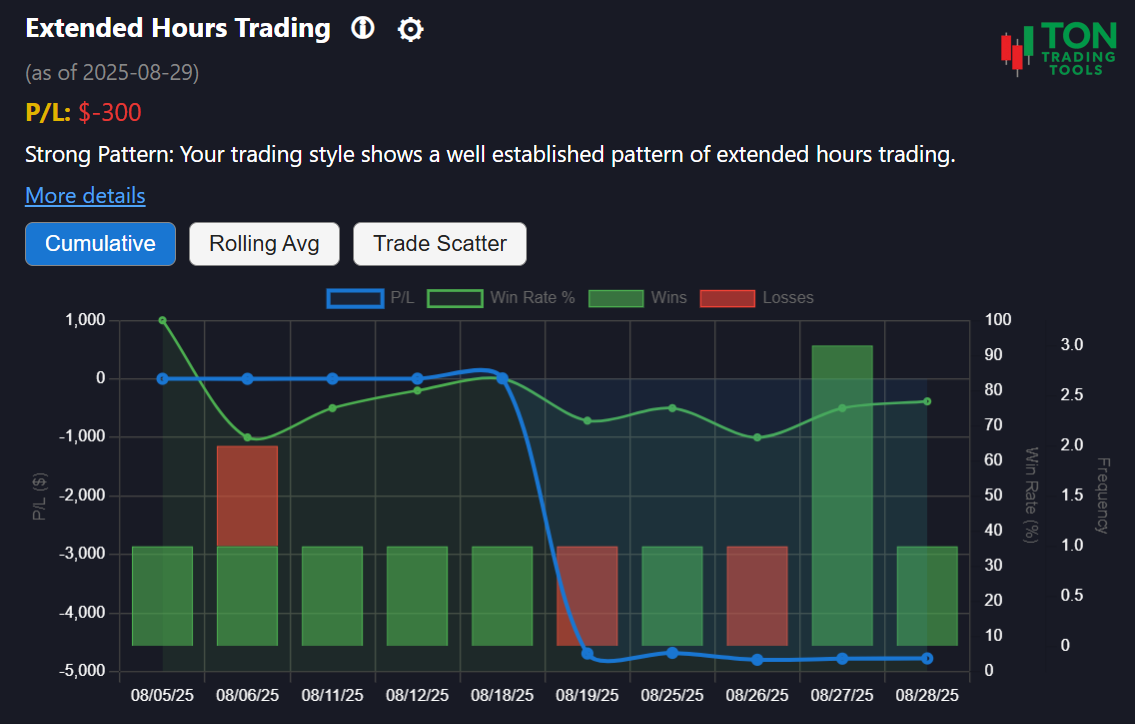
Extended Hours Trading Pattern: Know When You Trade
The Extended Hours Trading Pattern tool is designed for Thinkorswim desktop users who want to understand their trading activity outside the standard market session. Are you placing trades before 9:30 AM or after 4:00 PM? This tool analyzes your trade history to reveal patterns of pre-market and after-hours trading, helping you improve discipline and manage risk.
This is not a technical analysis tool. Instead, it focuses on your actual trading decisions—specifically, days when you traded during premarket (4:00–9:29 AM) or after-hours (4:01–11:59 PM) sessions. Use these insights to recognize your habits and avoid the unique risks of extended hours trading.
For a complete view of your trading discipline, explore related tools like the Scalping Behavior Pattern and the Symbol Attachment Bias.
How Extended Hours Pattern Detection Works
Pattern Detection
- Identifies days with trades placed between 4:00–9:29 AM (premarket) or 4:01–11:59 PM (after-hours), America/New_York time
- Analyzes your activity over a 90-day lookback window
- Classifies your pattern as Emerging, Confirmed, or Strong
Pattern Strength
- Emerging Pattern: 5+ extended hours trading days
- Confirmed Pattern: 10+ extended hours trading days
- Strong Pattern: 15+ extended hours trading days
Why It Matters
- Trading outside regular hours can increase risk due to lower liquidity and higher volatility
- Recognizing this pattern helps you manage risk and improve your trading discipline
- Combine with Scalping Behavior Pattern and Volatility Based Risk Calculator for a complete risk and discipline profile
Supported Patterns & Related Tools
- Extended Hours Trading Pattern (this page)
- Scalping Behavior Pattern
- Symbol Attachment Bias
- Low-Price Stock Preference
- Volatility Based Risk Calculator
- Pattern Comparison Overview
Get Started Today
Ready to see if you have an extended hours trading pattern? Upload your Thinkorswim desktop trade files and let the Extended Hours Trading Pattern tool analyze your trading history. For best results, review your patterns at the end of each trading day.
FAQ
Frequently Asked Questions
Answers to common questions about the Extended Hours Trading Pattern tool for Thinkorswim desktop.

This tool analyzes your Thinkorswim desktop trade history to detect days when you placed trades outside the standard 9:00 AM to 4:00 PM session, helping you spot and manage extended hours trading habits.
Extended hours are defined as trades placed between 4:00–9:29 AM (premarket) or 4:01–11:59 PM (after-hours), America/New_York time zone.
Trading outside regular hours can expose you to higher volatility and lower liquidity. Recognizing this pattern helps you manage risk and make more informed trading decisions.
The Extended Hours Trading Pattern tool is currently available only for Thinkorswim desktop users.